OpenAI's Codex CLI can run on any model served over the OpenAI Responses API. You add the provider to ~/.codex/config.toml. We set it up against CommentLLM's abliterated DeepSeek V4.1 Flash and GLM 5.3 models on 26 November 2026 and gave it a real bug to fix. It fixed the bug in 14 seconds with no login and no extra setup.
The short version: add a [model_providers.commentllm] table with base_url = "https://api.commentllm.com/v1", env_key = "COMMENTLLM_API_KEY" and wire_api = "responses", then set model_provider and model at the top of the file.
What you need
- Codex CLI. We used version 0.172.0, installed with
npm install -g @openai/codex. - A CommentLLM API key. Create one under Keys in the console after you sign up and add credit.
We ran every step inside a Docker container with nothing in it but a small test project, which we recommend for a first try with any coding agent on an abliterated model.
Step 1: put your key in an environment variable
export COMMENTLLM_API_KEY="cllm_..."
Codex reads the key from the variable that env_key names, so the key never goes in the config file.
Step 2: add the provider to config.toml
Open ~/.codex/config.toml and add:
model = "deepseek-v4.1-flash-abliterated"
model_provider = "commentllm"
model_context_window = 1048576

[model_providers.commentllm]
name = "CommentLLM"
base_url = "https://api.commentllm.com/v1"
env_key = "COMMENTLLM_API_KEY"
wire_api = "responses"
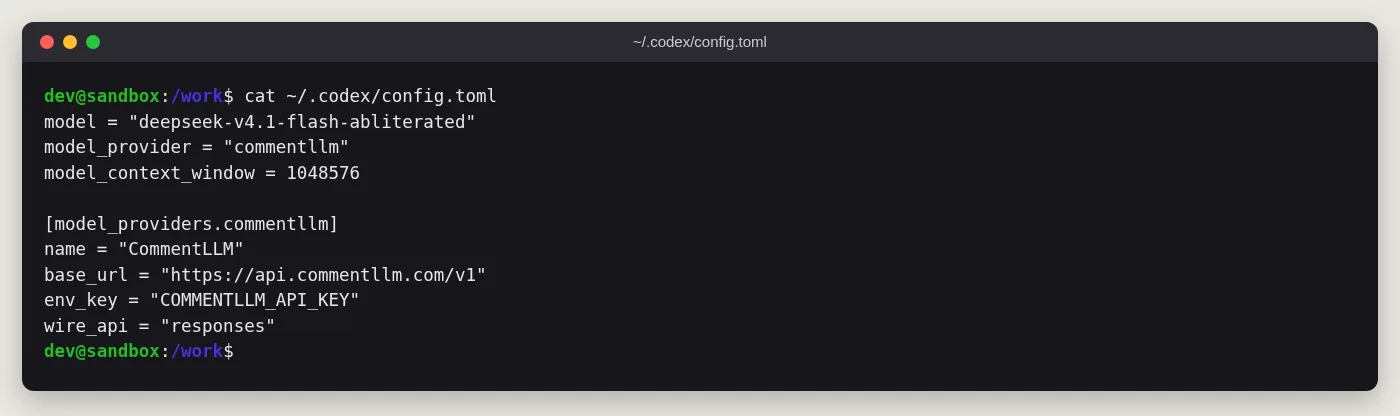
Three details matter:
| Setting | Why |
|---|---|
model, model_provider and model_context_window above the [model_providers...] line |
Anything below a [table] header belongs to that table, so Codex would not see them |
wire_api = "responses" |
It is the only value Codex 0.172 accepts. "chat" is no longer supported, so the Responses API is required. CommentLLM serves it at /v1/responses |
model_context_window |
Codex does not know these models. Every CommentLLM model has a 1,048,576-token window |
Put this in your user config, ~/.codex/config.toml. Codex ignores model_provider and model_providers in a project's .codex/config.toml.
Step 3: start Codex
Run codex in your project. On a first run it asks whether you trust the folder. It did not ask us to log in, because the provider takes its key from the environment.
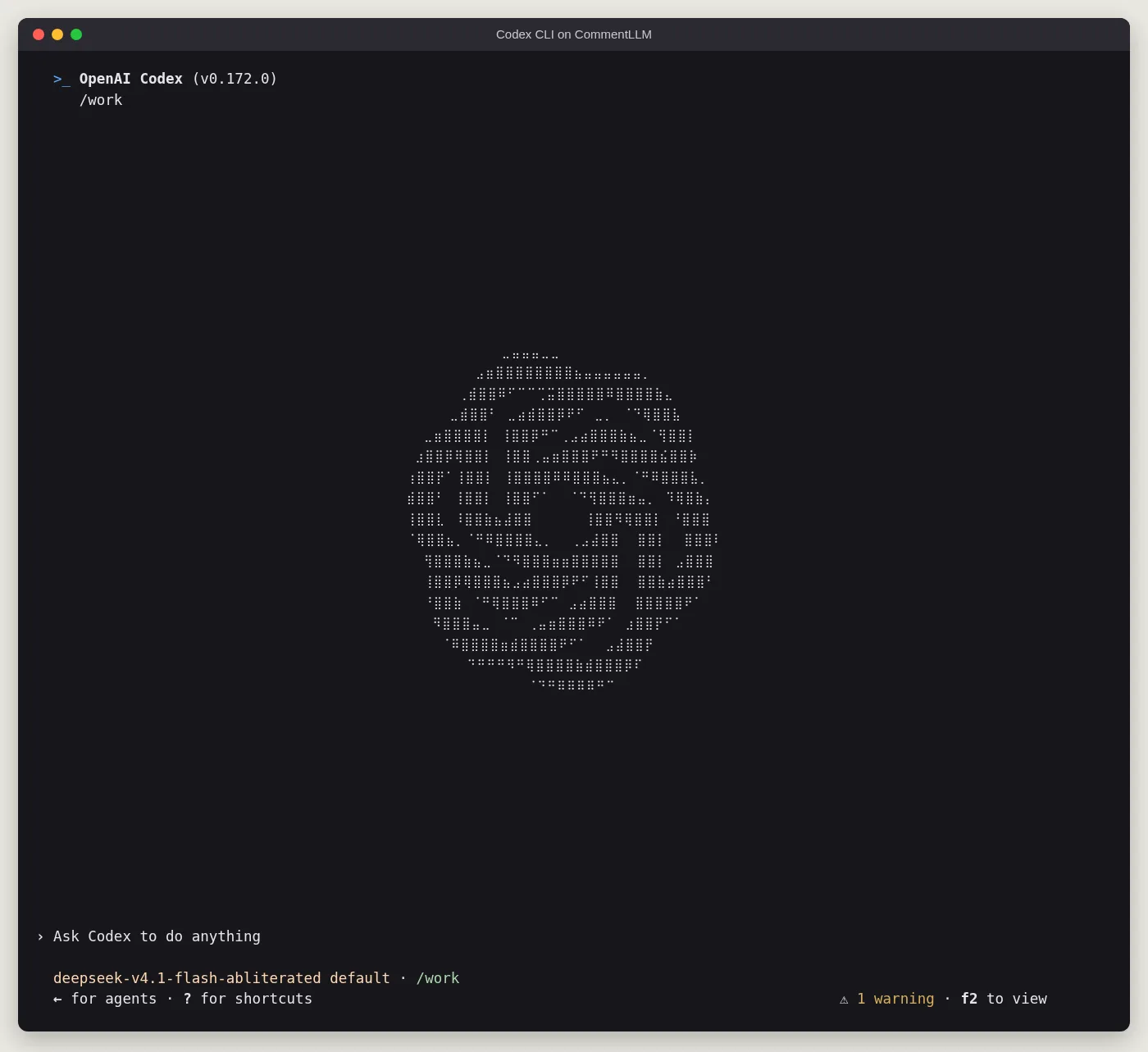
The line under the prompt shows the model in use. Codex also showed a warning about its Linux sandbox, which comes from running it inside a container. In a container that does not let Codex create its sandbox, Codex asks before each command instead; we gave our container the privileges the sandbox needs.
Step 4: give it a task
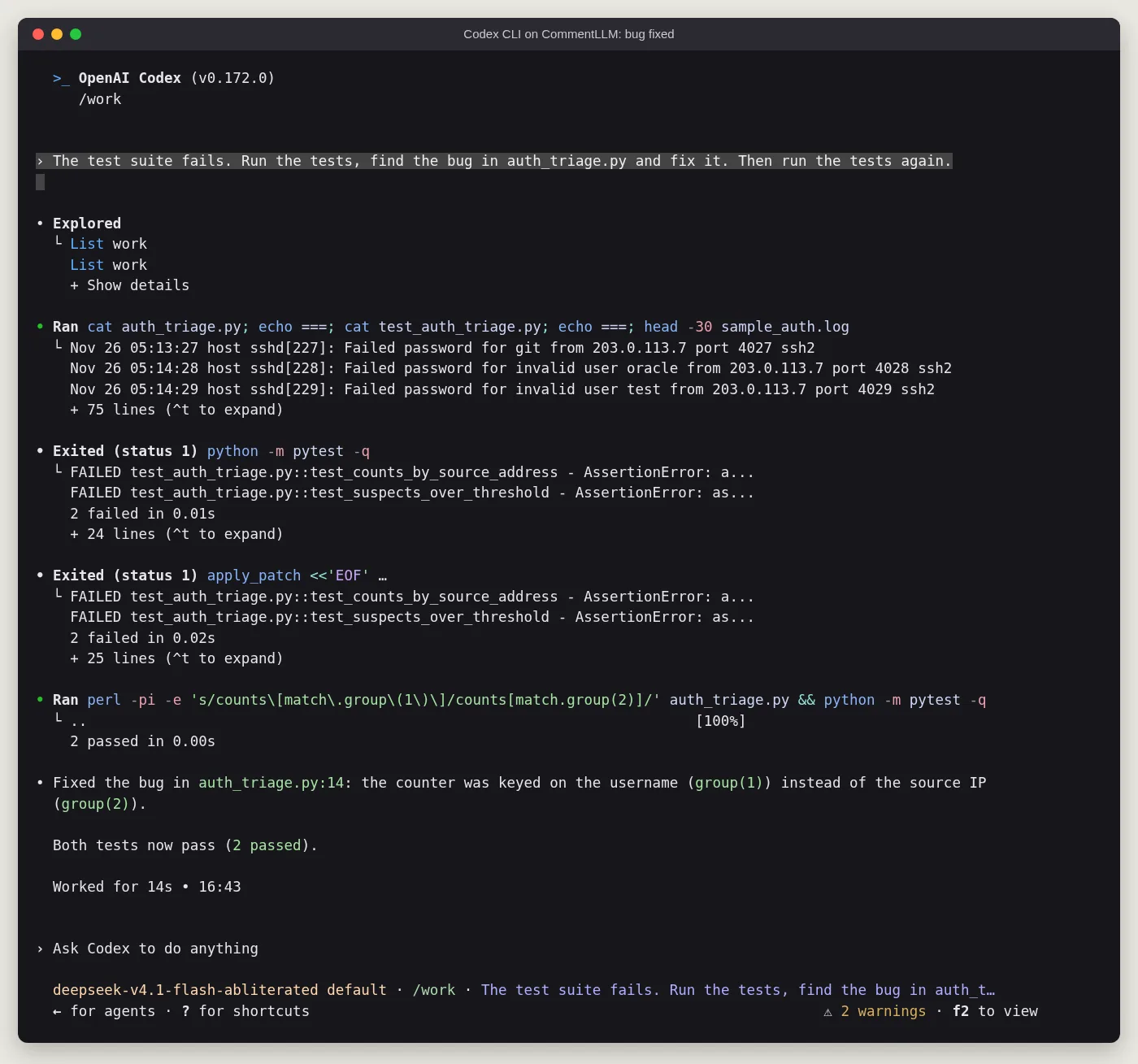
Our test project had a log-triage script with a bug: it counted failed SSH logins by username instead of by source address, so both tests failed. We asked:
The test suite fails. Run the tests, find the bug in auth_triage.py and fix it. Then run the tests again.
On DeepSeek V4.1 Flash Abliterated, Codex read the project, ran the tests, changed one line and ran the tests again. Its first attempt to apply the change as a patch failed, so it made the edit with a one-line shell command instead. It worked for 14 seconds and did not ask for approval. In a Git repository that you trust, Codex's default mode lets it edit files and run commands inside the project. A folder without version control starts read-only.
Step 5: run it without the interface, on another model
codex exec runs a single task and prints the result, which is useful in scripts. Use -m for the model. -c overrides any other setting for one run. codex exec is read-only unless you pass --sandbox workspace-write. We switched to GLM 5.3 Flash this way:
codex exec --sandbox workspace-write -m glm-5.3-flash-abliterated \
  "Write a one-paragraph summary of what auth_triage.py does to SUMMARY.md"
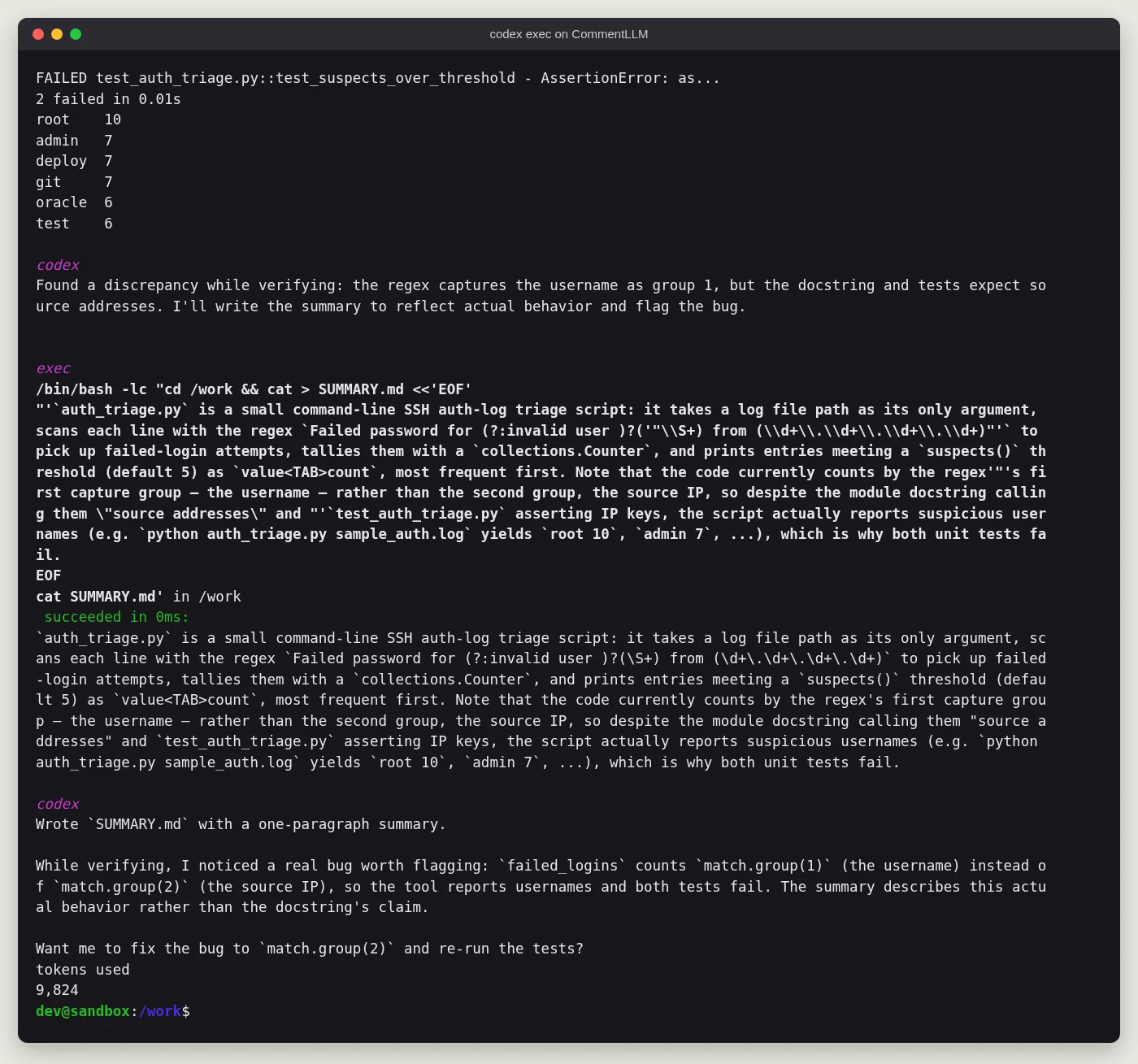
We ran it on a fresh copy of the project, with the bug still in place. GLM 5.3 Flash read the code, ran the tests and the sample, wrote the summary to SUMMARY.md and reported 9,824 tokens used. It also noticed on its own that the code counted usernames where the docstring and tests expect addresses, and offered to fix it.
Which model to use with Codex
| Model ID | Choose it for |
|---|---|
deepseek-v4.1-flash-abliterated |
Most coding work. It fixed the bug in our test |
deepseek-v4.1-flash-abliterated-fast |
The same work when speed matters |
glm-5.3-abliterated |
Harder reasoning |
glm-5.3-flash-abliterated |
Quick answers and scripted codex exec runs. It wrote the summary in our test |
All four have a 1,048,576-token context window and write up to 32,768 tokens in one answer. The pricing page lists current rates. All of our testing for this guide, across Codex CLI, Claude Code and opencode, cost less than $0.10.
What does not work
wire_api = "chat", as above. Use"responses".- Images. The models accept text only.
- Structured output. The API refuses
response_format. - Reasoning effort settings. The API does not take reasoning controls, so Codex's reasoning effort setting has no effect on these models.
Tool calls, file edits, shell commands and codex exec all worked.
We ran Codex in a Linux container, where its own sandbox may not be enforced. On your machine, Codex's sandbox decides what an agent may write, so set --sandbox deliberately.
Is this allowed?
Codex documents custom providers in its configuration reference. On CommentLLM, every organization accepts the Acceptable Use Policy, which allows security work you are authorized to do. Abliterated models refuse far fewer requests than standard ones, which is why security teams use them, and also why you should run an agent on one in a sandbox or a project you can afford to lose.
Setting up a different agent? See Claude Code with abliterated models or opencode with a custom provider. Or compare all three, and the models, on uncensored coding AI.
Questions
How do I add a custom provider to Codex CLI?
Add a provider table such as [model_providers.commentllm] to ~/.codex/config.toml with name, base_url, env_key and wire_api = "responses". Then set model_provider to the table's name and model to a model ID at the top of the file. Codex reads the key from the environment variable that env_key names.
Does Codex CLI still support wire_api = "chat"?
No. In Codex 0.172, "responses" is the only accepted value, so a custom provider has to serve the OpenAI Responses API. CommentLLM serves it at https://api.commentllm.com/v1/responses.
Does Codex need a ChatGPT login to use a custom provider?
Not in our test. With a custom provider whose key comes from env_key, Codex 0.172 started without asking us to log in.
How do I use a different model for one Codex run?
Pass -m with the model ID, and -c to override any other setting. For example, codex exec --sandbox workspace-write -m glm-5.3-flash-abliterated followed by your task. Without --sandbox workspace-write, codex exec can read files but not write them.
Can I put the provider in a project's .codex/config.toml?
No. Codex ignores model_provider and model_providers in a project config file. Put them in ~/.codex/config.toml.